Google Photos:
A Redesign Towards Consistency and Playfulness
Overall Skills
Figma
Figma was utilized as the tool and platform for the redesign, utilizing prototyping tools and more.
UI/UX Design
Analyzing the existing user experience and altering it by creating a new user interface that highlights consistency and playfulness.
Sound Design
Creation of UI/UX sounds to support the feeling of feedback throughout the application.
Defining The Problem
One day I randomly opened up the Google Photos app on my phone as I was looking for a specific picture. However, what I was struck with was an interface the seemed confusing, inconsistent and honestly a bit uninspiring.
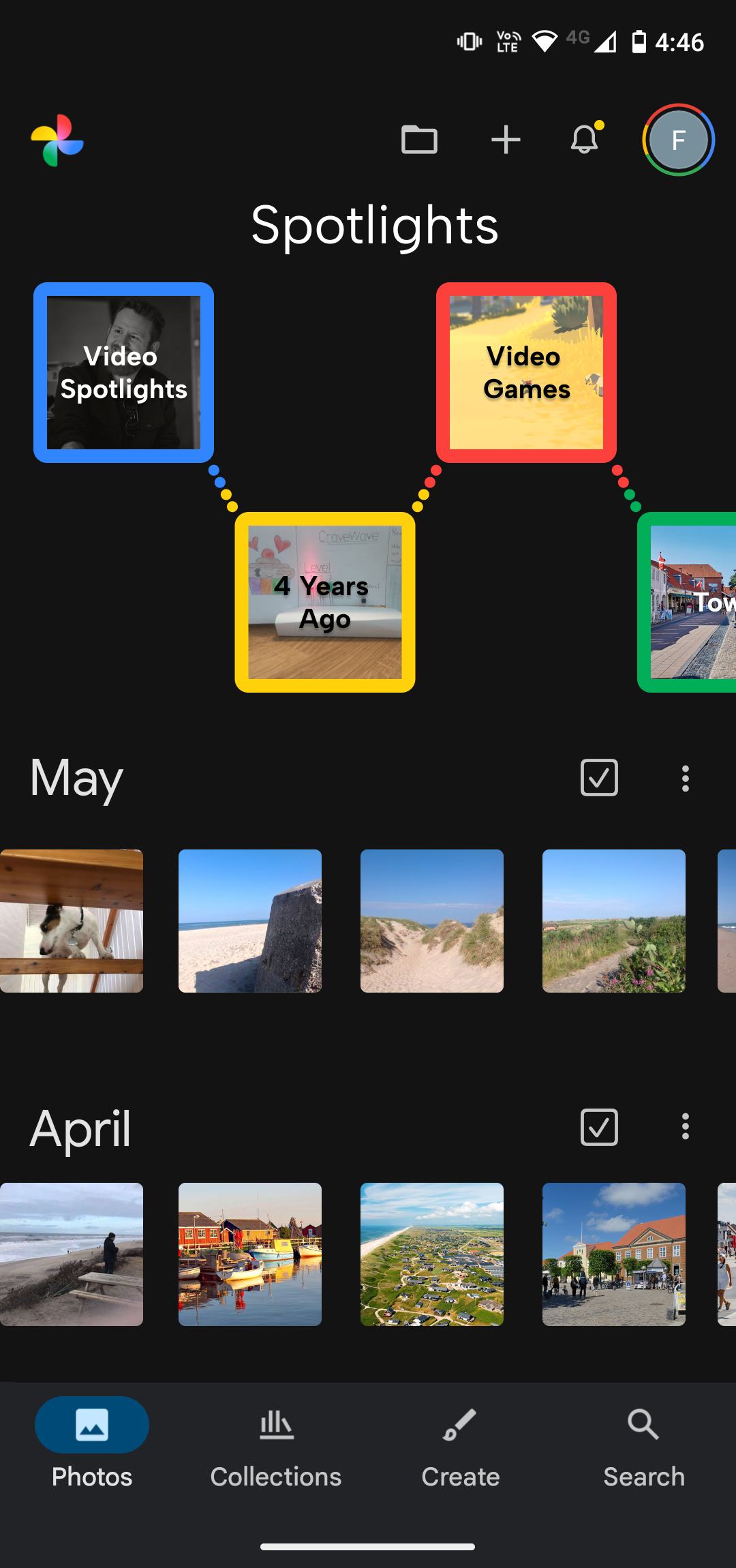
As we know from Don Norman, “discoverability” is one of the seven fundamental design principles - meaning how easy it is to determine what is possible and the current state of the system (Norman, 2013). However, when looking at the first screenshot on the right Google Photos presents itself as being confusing…at least to me. Why does every month have a different layout? Why does May have a settings button but not April? Why do some pictures have sharp corners and other rounded?
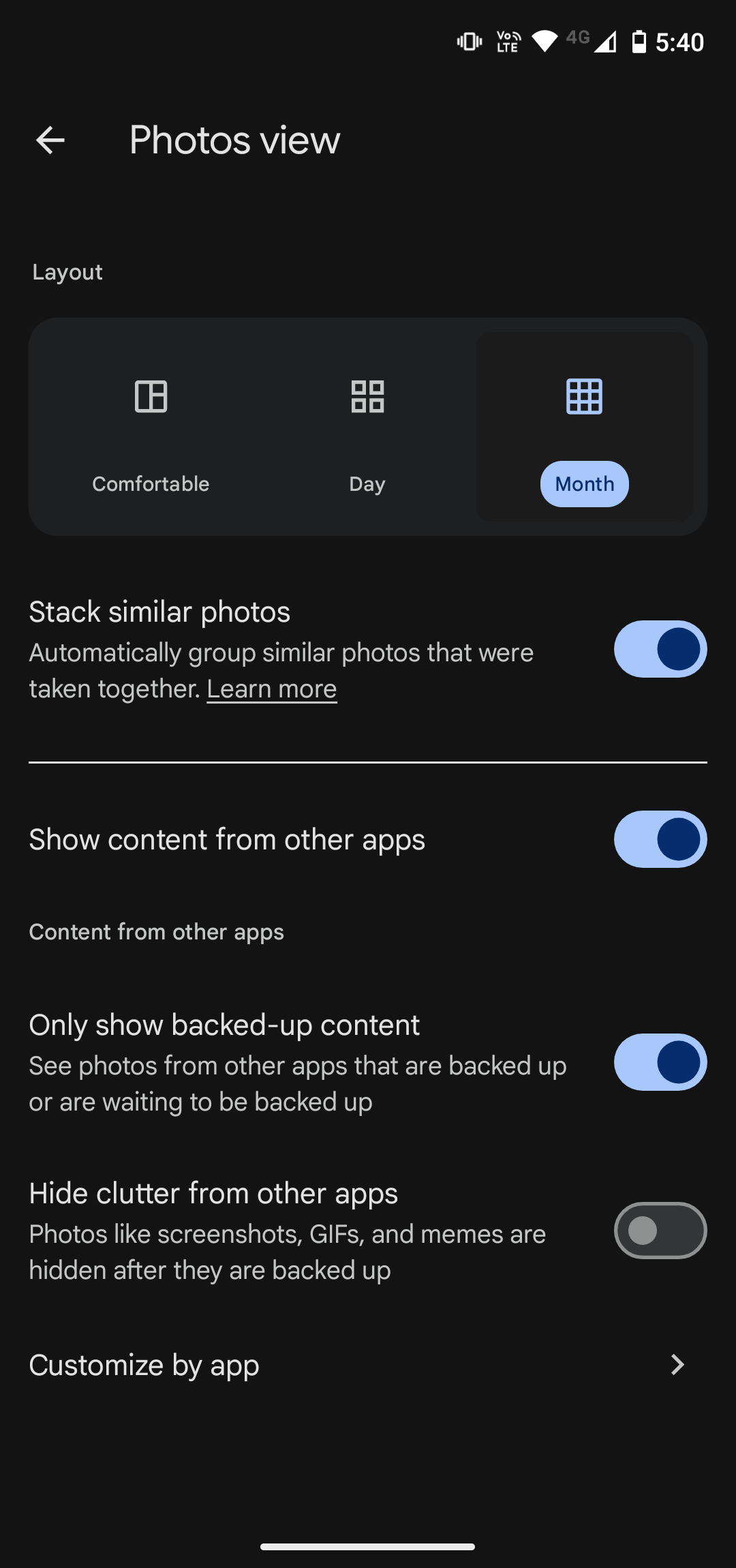
Additionally, I felt the overall aesthetics of Google Photos for one did not match the creativity of picture taking and the brand of Google either. Of their four iconic colors, they only use a shade of the blue one, as can be seen in the settings menu on the right hand side.
Therefore I set out to try and redesign the user interface and user experience of Google Photos, along with adding some sound to give the app a more playful feel whilst improving the feedback.
Improving The Main Screen
Adjusting The Settings
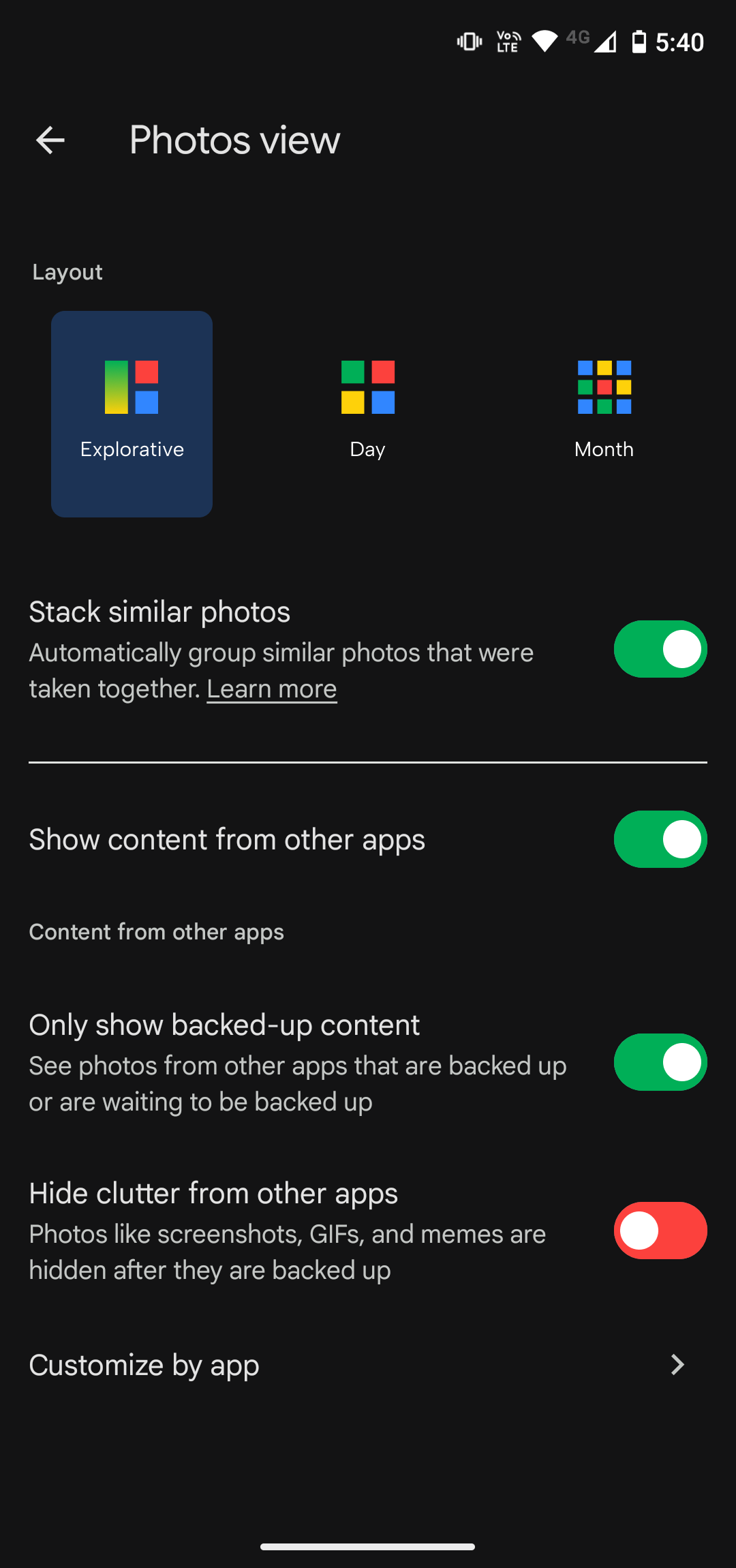
While one might expect a settings menu to be boring, that doesn’t mean that we should ignore it in terms of branding and creativity.
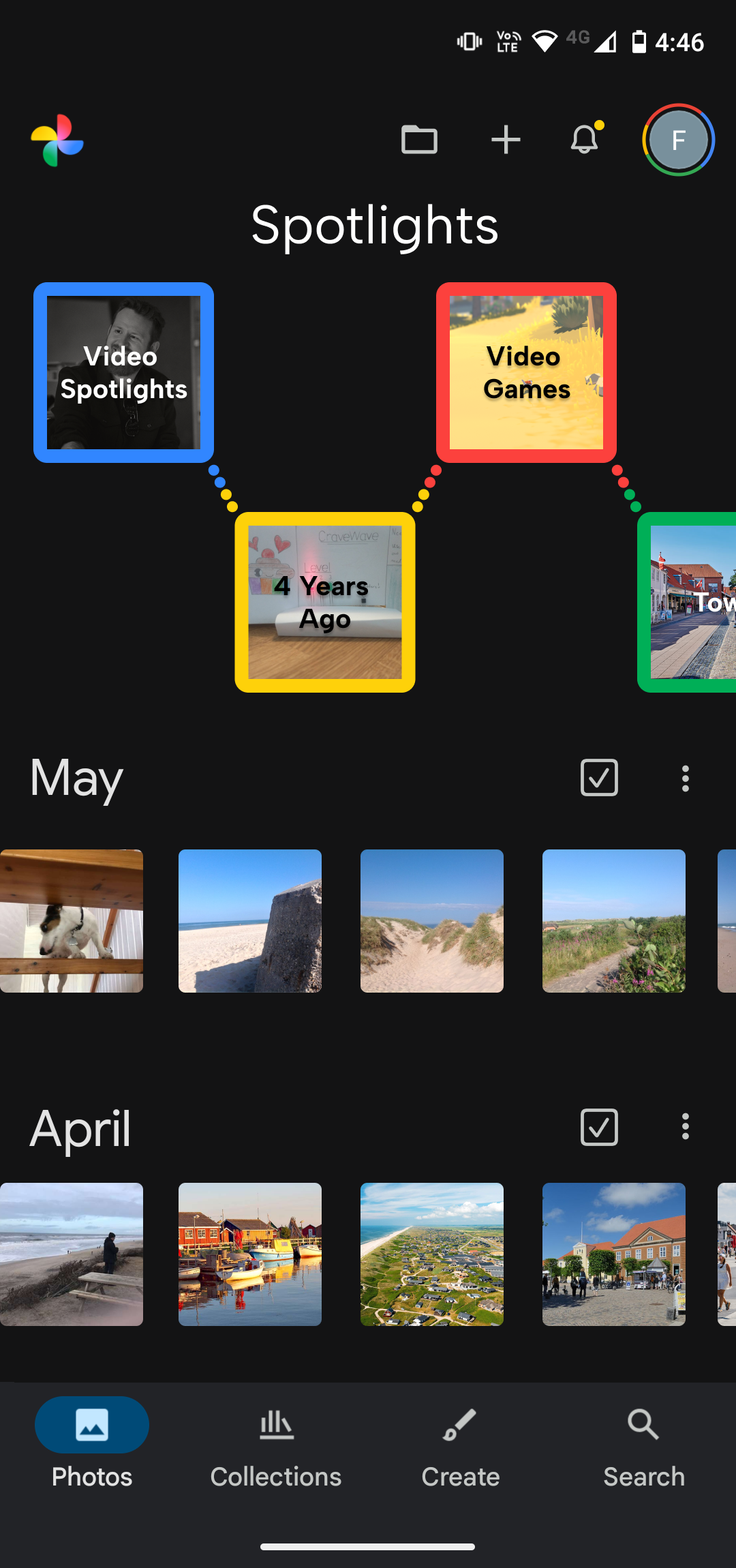
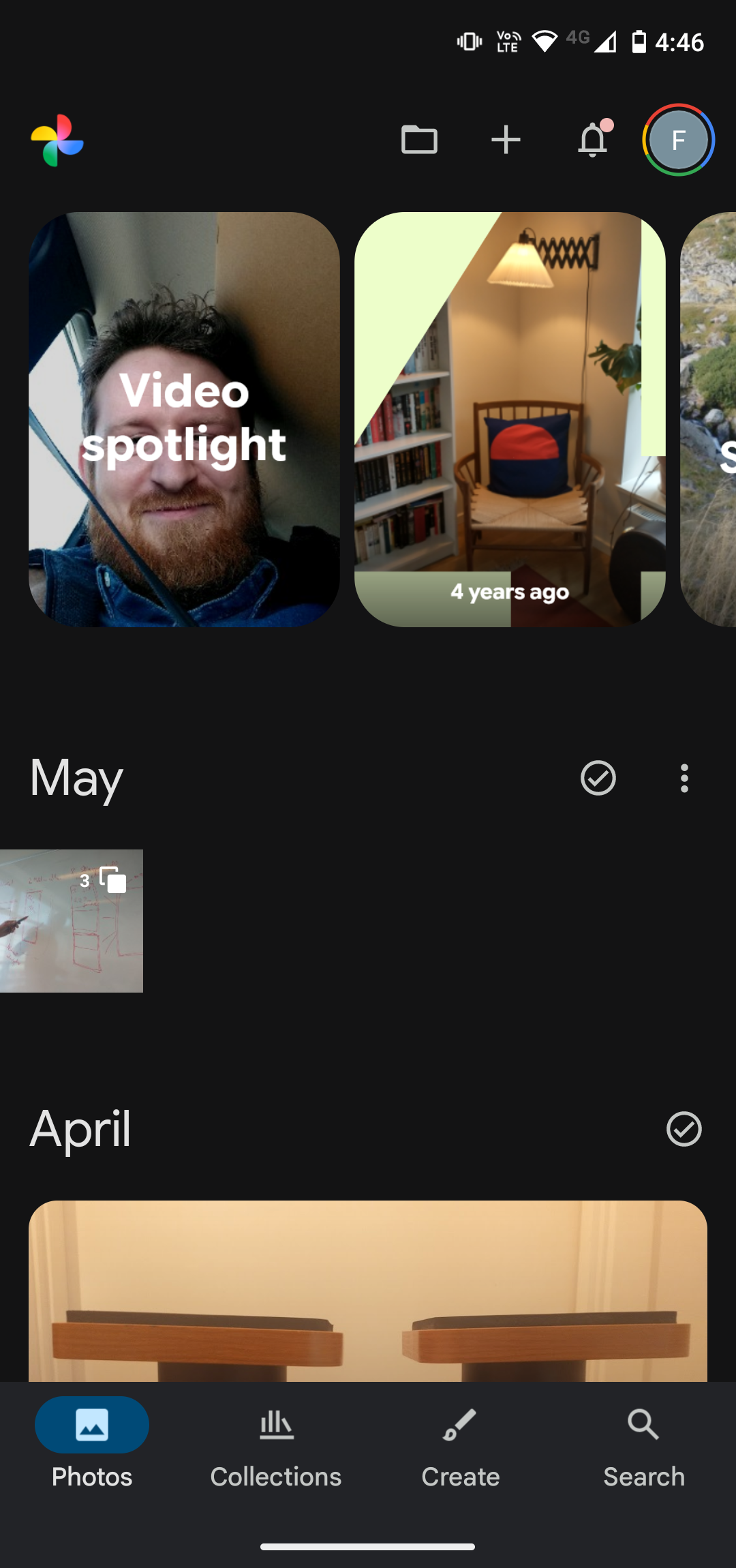
To push the settings menu in a more creative direction, the layout icons were changed into a more colorful variant. They retain the same basic iconic structure as the previous icons, but were changed to highlight the brand colors of Google, which adds a more playful tone to the menu. Additionally, the layout icons were made bigger, making them pop more.
The Google color scheme was also utilized in the radio buttons, switching them to match the green and red colors, instead in the previous blue and grey color scheme.
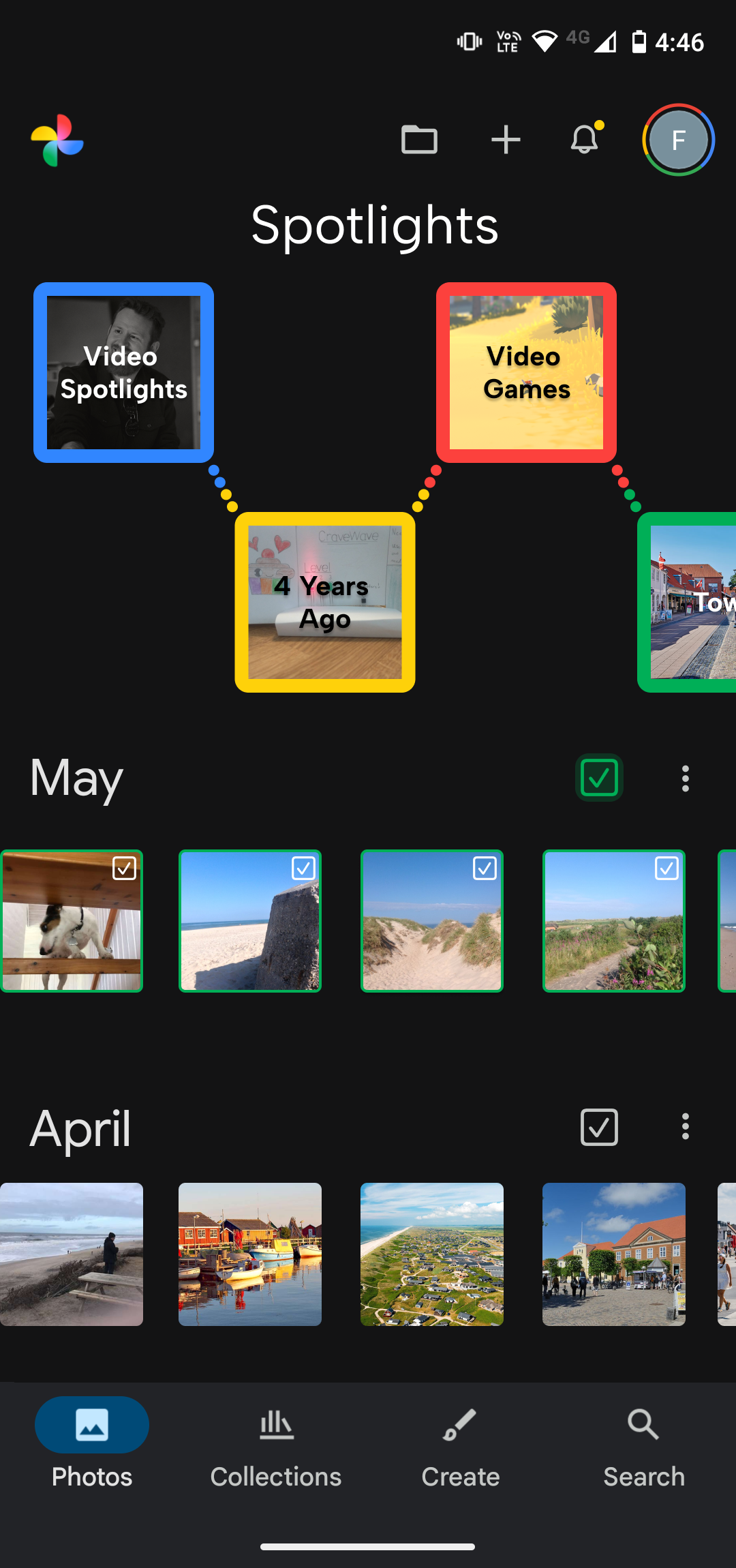
The first thing I did on the main screen was to ensure consistency in the “month” views. Here, the focus was to show as much content from the month as possible. Instead of having different views depending on the amount of photos or the type of content, each month was changed to consistently show content based on a horizontal carousel style view.
The consistency was also improved in lesser ways, such as giving all the corners of the photos and icons a slight curve to ensure a consistent style throughout.
I also felt that a more creative exploration of the spotlights was in place, as the previous one felt big, clunky and did not make me want to explore what the app had selected for me. To remedy this, I opted for a bright, playful and colorful carousel view. The colors chosen were based strictly on the Google brand colors to ensure strong brand association.
Sound Design
To complement the creative visual design of Google Photos, as well as the interactions, UI sounds were created to support the user journey throughout the app.
To support feedback and interaction, the sounds were created to be very simple and short, as to not overburden the user with sound. However, the sounds also needed to have a bit of personality to match the creativity of taking photographs. Therefore, the baseline sounds consist of short clicks to give a solid feeling of feedback, with a bit of tone added into the mix to give the sounds some personality and playfulness.
Melodies were created with this baseline sound to support the changing of layouts in the settings menu, by matching the melodies to the feeling of the layouts and giving a more playful feeling.
Additional swooshes were added when changing pictures to heighten the feeling of playfulness as well.
See the video below for the full visual and auditory redesign of Google Photos.